AI Writes My Code Now — So I Built a Tool to Stop It From Trashing My Translations
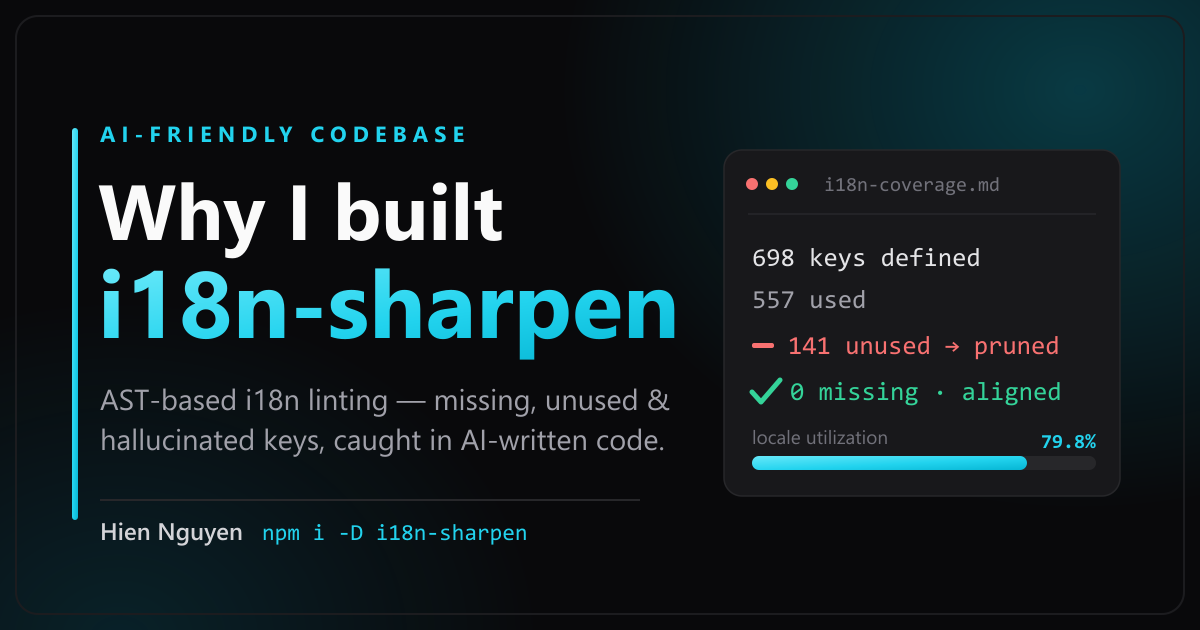
When AI agents write most of your code, they work fast — and quietly trash your multilingual dictionary (i18n): hardcoded strings, orphaned keys, and hallucinated namespaces. Why I built i18n-sharpen with an AST X-ray engine, and what an 'AI-friendly codebase' truly means.
To be completely honest, I barely type code by hand anymore. Over the past year, AI agents have taken over most of the typing across my projects — I describe the feature I want, review the diff, and ship. The speed is breathtaking, the output is genuinely solid, and most days it feels like I have a cheat code enabled.
Until one afternoon, when I opened the locales/ translation directory of one of my multilingual apps and realized it had turned into a toxic swamp.
To make this crystal clear even if you aren’t a software engineer: when developers build an app that supports multiple languages (called i18n, short for Internationalization), we don’t type raw words like "Confirm Payment" directly onto a button. Instead, the button holds a lookup code like t("checkout.confirm"), and the app looks up that code inside a Dictionary Notebook (en.json for English, vi.json for Vietnamese, ja.json for Japanese) to display the right language.
Yet after a few months of letting AI agents edit my codebase, that dictionary notebook was a disaster zone:
- Buttons pointing to lookup codes that didn’t exist anywhere in the dictionary.
- Raw English sentences sitting uninvited inside the Vietnamese screen.
- Hundreds of leftover translations from deleted features rotting in the files forever.
None of it was because the AI was “dumb.” Viewed in isolation, each tiny pull request looked totally reasonable. But human code review looks at one small change at a time, whereas translation rot accumulates silently across fifty merges at once. By the time you notice, you aren’t fixing a bug anymore — you are doing digital archaeology.
That swamp is why I built i18n-sharpen [1]. And on a deeper level, it crystallized a core engineering philosophy I now live by: When AI writes most of your code, your codebase needs automated guardrails that a machine can verify — not polite conventions that a human or an AI is supposed to remember.
Test out all 3 inspection modes in the Interactive AST X-Ray Simulator below to see how AI quietly breaks your dictionary, why a regular text search (Ctrl+F / grep) goes blind, and how a compiler-grade AST scanner catches every single bug:
Imagine a restaurant menu available in both Vietnamese and English. Every time you ask an AI assistant to add a new dish to the display board, it works fast—but sometimes it writes English directly onto the Vietnamese board, invents a dish code (#999) that doesn't exist in the translation notebook, or deletes a dish from the board while leaving old translations rotting in the notebook. After 50 edits, 20% of your notebook is garbage!
AI hardcoded raw English text directly into the UI attribute instead of using t('promo.placeholder'). Vietnamese users see English!
1. The Five Classic Ways AI Quietly Breaks Multilingual Apps
If you build multilingual products with an AI coding assistant, you have almost certainly suffered from all five of these silent failure modes:
- It Hardcodes Raw Text Directly Onto the Screen: You ask the AI for a promo-code input box, and it happily writes
placeholder="Enter promo code"instead ofplaceholder={t("promo.input")}. The code compiles cleanly and looks great to an English-speaking reviewer — until a Vietnamese or Japanese user opens the app and sees untranslated English! - It Invents a Lookup Code But Forgets to Write It in the Dictionary: The UI code calls
t("checkout.confirm"), but nobody addedcheckout.confirmto the JSON locale files. - It Updates Only One Language (Locale Drift): The English dictionary gets the brand-new translation, while the Vietnamese and Japanese files are quietly forgotten.
- It Deletes UI Components But Leaves Dead Translations Behind: When you ask the AI to remove an old summer promotion banner, it deletes the UI code cleanly, but leaves all 30 translation lines sitting in your dictionary files forever — because deleting them feels risky when nobody knows if another screen still uses them.
- It Hallucinates Folder Paths (Namespace Drift): This was the one that drove me crazy! As an app grows, the dictionary is organized into nested folders (namespaces). After a few refactors, the AI remembers an outdated folder structure, duplicates the same sentence in two places, or outright hallucinates a namespace that never existed.
Why doesn’t human code review catch this? Because AI agents are locally fast and plausible. Translation rot doesn’t crash the server with a loud explosion — it is silent entropy creeping in across a thousand tiny edits.
2. Death by a Thousand Edits: When 20% of Your Dictionary Is Garbage
After letting that silent entropy build up for a few months, I ran an audit on one of my own real-world production projects [1]. The numbers were humbling:
- 698 translation keys defined in the dictionary files.
- 557 keys actually used in the source code.
- 141 unused dead keys — roughly 20.2% pure dead weight!
- True dictionary utilization: 79.8%.
One out of every five translations shipped to users’ browsers was complete garbage. And the most frustrating realization was: this is a 100% mechanical counting problem. Computers are infinitely better at counting and cross-referencing than humans — so why was I hunting for dead keys by hand?
3. Why Simple Text Search (grep / Ctrl+F) Fails Miserably
My first instinct — in an early prototype I called i18n-cop — was the obvious shortcut: use regular expressions (Regex / grep, basically an automated Ctrl+F) to search the codebase for t("...") and compare that list against the JSON files.
It fell apart almost immediately. Text search only sees literal characters on the surface; it does not understand programming grammar [1]. The moment real-world code uses even slightly dynamic patterns, a text scanner goes completely blind:
// Case 1: Dynamic Template Literals
t(`auth.${action}`)        // Regex only sees a backtick (`), not the actual key!

// Case 2: Variable Lookup
t(benefit.key)             // 100% invisible to text search

// Case 3: Framework-Specific JSX Attributes
<Trans i18nKey="modal.title" />   // Not written as t(...), so regex skips it!
What happens next is worse than useless: because the regex scanner only sees a backtick in t(`auth.${action}`), it falsely concludes that "auth.oauth_google" is never used and tells you to delete it! If you trust the tool and prune those keys, you just broke your production login page. And once a developer loses trust in a linter, they stop running it altogether.
That was why i18n-cop evolved into i18n-sharpen, ripping out the regex engine and replacing it with real, per-framework Abstract Syntax Tree (AST) parsers for TypeScript, JavaScript, React, Vue, Svelte, and Astro [1].
💡 Plain-English Analogy: If
grep(Ctrl+F) is like someone scanning a page with a magnifying glass looking for exact letter shapes without understanding English grammar, an AST Parser is a Compiler’s X-Ray Machine. It understands the exact grammatical skeleton of your code: which text is visible to the user on screen, which part is a dynamic variable prefix, and which part is a comment.
That AST foundation unlocks capabilities that plain text-diffing could never touch [1]:
- True Understanding of Dynamic Keys: When it sees
t(`auth.${action}`), the AST classifies it as a structured prefix (auth.*) and automatically shields every matchingauth.key in your dictionary from accidental deletion. - Hardcoded String Detection (
--check-hardcoded): It inspects JSX, Vue, Svelte, and Astro UI attributes (likeplaceholder="Submit") and fails CI the instant an AI agent forgets to wrap user-facing text int(). - Untranslated Placeholder Detection: Catches keys where someone lazily copied the raw key path into the translation value without actually translating it.
- Featherweight (~720 kB): Lazy-loads only the specific compiler your project uses, running in milliseconds.
4. What an “AI-Friendly Codebase” Actually Means to Me
This brings us to the bigger picture — one that goes far beyond translations.
When AI agents write 80–90% of your code, the engineering bottleneck moves. The bottleneck is no longer typing speed — an agent writes 300 lines in five seconds. The new bottleneck is preventing your codebase from quietly rotting under all that velocity.
You cannot solve that with a 20-page team wiki of coding conventions, because the AI model doesn’t memorize your wiki across sessions, and human reviewers miss slow, aggregate drift. The only thing that works is making correctness executable.
In my workflow, i18n-sharpen is one steel rail in an automated cage built around my AI agents using Claude Code Hooks and CI gates:
- Prettier & ESLint: Enforce formatting and structural rules the instant the AI saves a file.
- jscpd: Catches copy-pasted code duplication before the agent can sprawl.
- i18n-sharpen (
validate/extract/prune): The automated gatekeeper for multilingual integrity [1]:validate: Fails the build immediately if a key is missing, locales drift out of sync, or a string is hardcoded (0exit code for clean,1for broken).extract: Automatically pulls any newly writtent("new.key")into all locale files so neither human nor AI has to remember.prune: Surgically removes dead keys with compiler-level certainty.
And here is the deeper truth I underestimated for too long: A clean, strictly guarded codebase makes the AI itself smarter.
Every convention — clean separation of files, predictable dictionary namespaces, zero dead keys — isn’t just tidiness for human eyes anymore; it is context quality for the AI model. When a codebase is messy and full of duplicate dead keys, the AI has to guess which pattern to follow, and its guesses create even more mess. When automated guardrails force the codebase to stay crystal clear, the AI reads a clean pattern and makes far fewer mistakes in the first place.
That positive feedback loop is what an AI-Friendly Codebase truly means: not slowing down AI agents, but building steel rails strong enough to let them run at 300 km/h without derailing.
5. Test Your Own Project’s Dictionary Health Right Now
If you are shipping a multilingual app with AI in the loop, open your terminal and run this single command on your project (zero installation required):
npx i18n-sharpen validateI would bet good money that at least 20% of your translation dictionary is dead weight, too!
The project is 100% open-source on GitHub: Schalkez/i18n-sharpen [1] — stars, issues, and contributions are warmly welcome, and I would love to hear what your version of an AI-friendly guardrail system looks like!
References
- [1] i18n-sharpen — GitHub repository and npm package (author’s open-source project). Technical capabilities (multi-framework AST parsers,
validate/extract/pruneCLI,--check-hardcoded, ~720 kB lazy-loaded architecture), thegrep-vs-ASTcomparison, and the production coverage audit (698 keys / 141 unused / 79.8% utilization) are drawn from the project documentation: github.com/Schalkez/i18n-sharpen · npmjs.com/package/i18n-sharpen